Farside · remote desktop for your Mac
Your Mac is far. Your reach isn’t.
Use your Mac from your iPhone or iPad. Free on your own Wi‑Fi.
Beta coming soon. Follow @getfarside for the link.
Follow @getfarsideHow it works
Three steps, then you’re in.
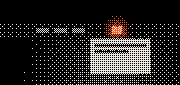
Get Farside for Mac
It’s free. Install it and allow the two permissions it asks for.
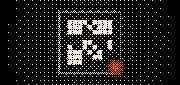
Pair your iPhone or iPad
Scan the code on your Mac, then approve it on the Mac. No account.
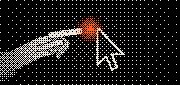
Tap Connect
Your Mac’s screen appears. Your screen is now its trackpad.
You’ll need macOS 26 or later on a Mac with Apple silicon (M1 or later), and an iPhone with iOS 26 or later or an iPad with iPadOS 26 or later.
What you get
Small screen. Whole Mac.
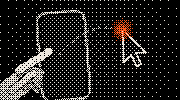
The screen is a trackpad
Slide to move the pointer. Tap to click.

Zoom in on small text
Pinch to zoom in on any part of your Mac.
Type from your phone
Open the keyboard and type into any field on your Mac.

Only your devices
Your Mac asks before a new iPhone or iPad can connect, and pairs only with the devices you approve.
Plans
Free at home. Anywhere for away.
Free at home
Free
When your Mac and your iPhone or iPad are on the same Wi‑Fi. No account, no ads.
Farside Anywhere
Soon
Use your Mac when you’re away from home. A paid plan, sold in the app through Apple. Not on sale yet.
Anywhere pricing will be announced before it goes on sale.
FAQ
Questions, answered.
Is it really free?
Yes, when your Mac and your iPhone or iPad are on the same Wi‑Fi. No account, no ads. Using your Mac away from home is a paid plan, Farside Anywhere, which isn’t on sale yet.
What do I need?
macOS 26 or later on a Mac with Apple silicon (M1 or later), with Farside for Mac (free). And an iPhone with iOS 26 or later or an iPad with iPadOS 26 or later. Macs with an Intel processor aren’t supported. The support page shows each step.
Can anyone else see my screen?
Only an iPhone or iPad your Mac has approved can connect, and you can stop sharing from the Mac’s menu bar at any time. More in the privacy policy.
Does my Mac need to be awake?
Yes. Farside can’t wake a sleeping Mac or log in for you.
When can I get it?
Farside is heading into a TestFlight beta, with the App Store to follow. The beta isn’t open yet: follow @getfarside on X for the link.
Is Farside the same as farside.app?
No. Farside at getfarside.com is a remote desktop app for your Mac, made by Roshan Silva Pulle. It isn’t related to farside.app or to other products with a similar name. About Farside.
More answers on the support page.